Dedicated server control
What's included with your dedicated server.
The hardware is only part of the service. Every dedicated server comes with the network addresses and client-area tools you need to install, monitor and control it from one place.
1 IPv4 address
1 IPv6 subnet
Client area access
24/7 support
Included from day one
The tools you need to operate the server.
Choose the hardware and network configuration on the sales page. Once the server is active, the client area brings its essential controls and information together.
Full server access
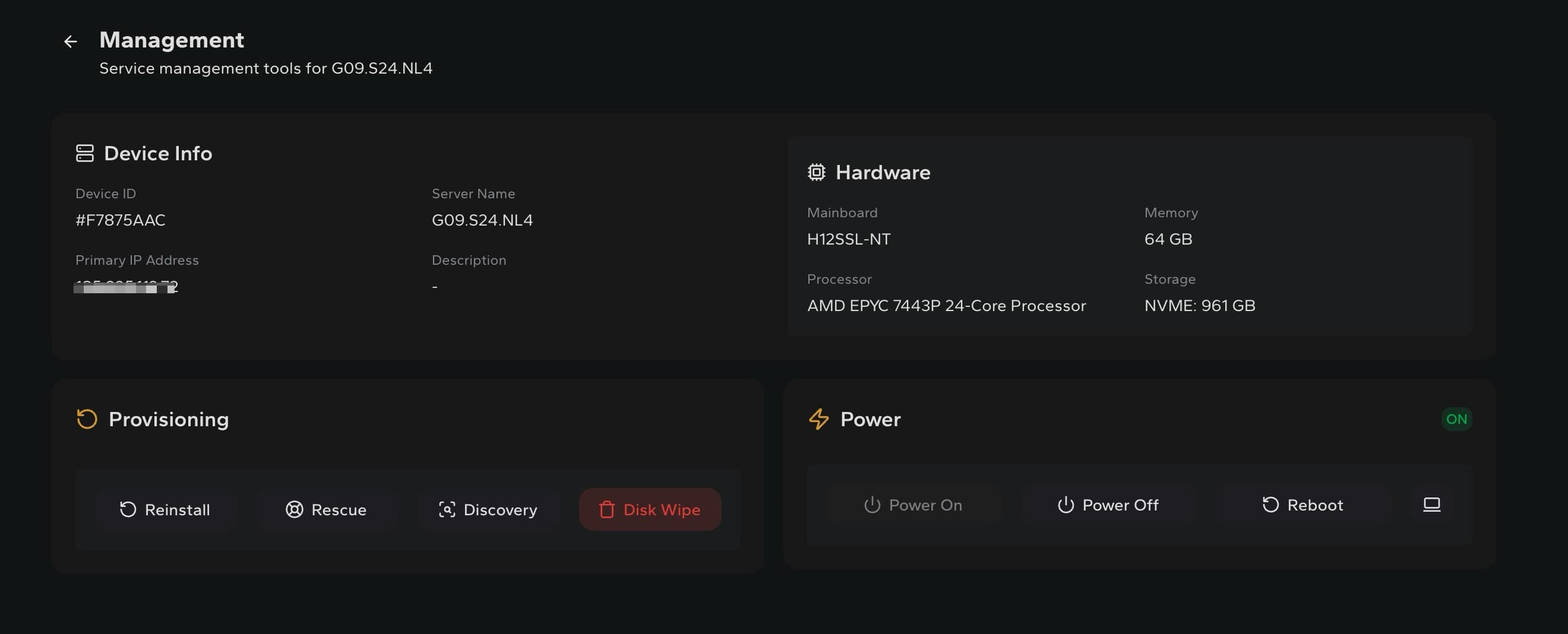
Administer the installed operating system and applications with root or administrator access.
IPv4 and IPv6
Every dedicated server includes one IPv4 address and one IPv6 subnet.
Hardware information
Review the processor, memory, storage, mainboard and primary network information assigned to the server.
Power controls
Power the server on or off and perform a reboot directly from the client area.
Provisioning tools
Reinstall the operating system, enter rescue mode, run discovery or wipe the disks when required.
Bandwidth monitoring
Follow inbound, outbound and combined network usage using current and historical views.
Official and custom ISOs
Install from an available official ISO or request a custom ISO when your setup requires one.
24/7 technical support
Contact the support team at any hour for help with service-related issues. Managed server administration is not included and may be available separately by request, depending on scope.
Bandwidth monitoring
See the traffic, not just the allowance.
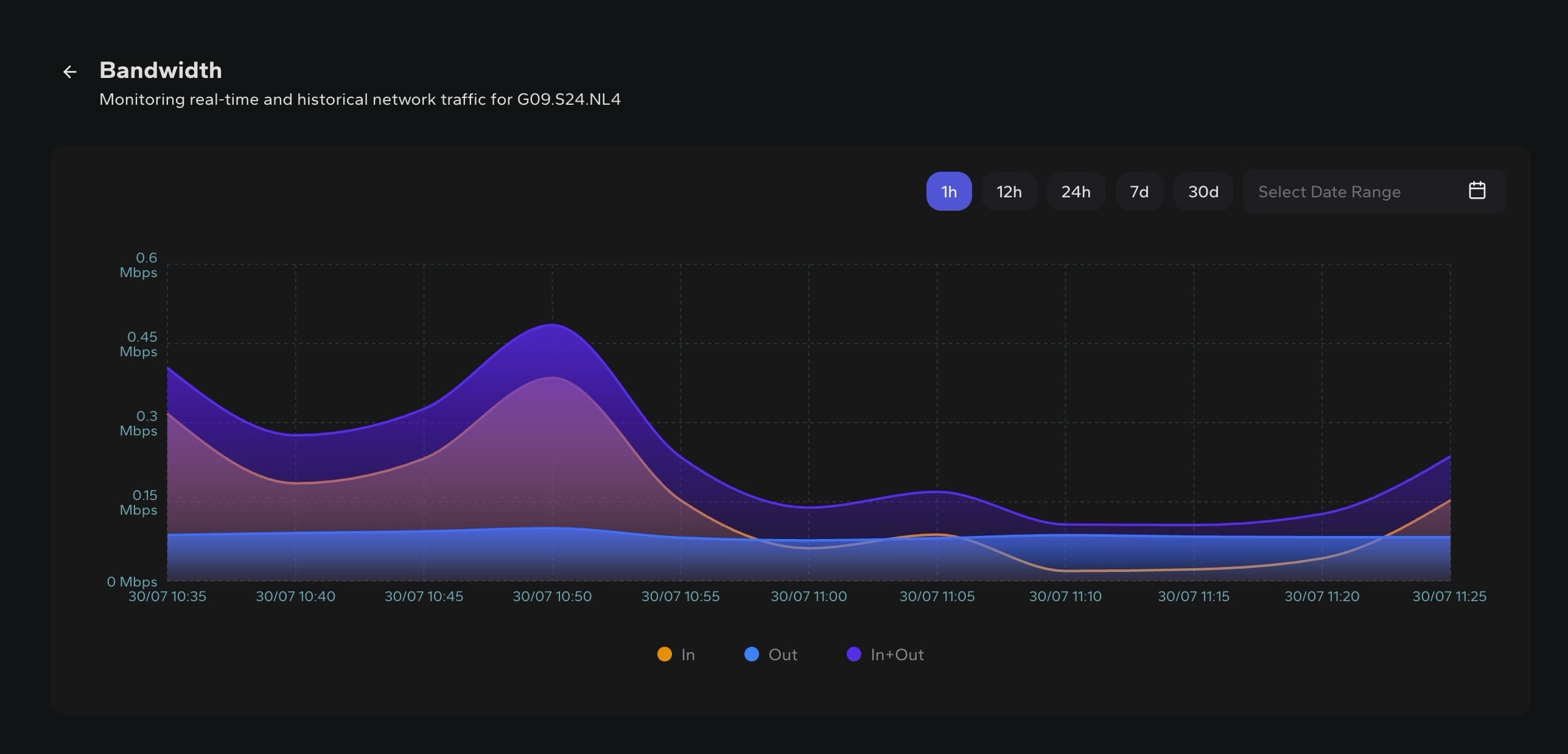
The bandwidth view separates inbound, outbound and combined traffic. Check recent activity or move through longer periods without relying on a separate monitoring service.
Quick time ranges
Move between one hour, 12 hours, 24 hours, seven days and 30 days.
Custom date range
Select a specific period when you need to review an earlier traffic pattern.
Separate traffic directions
Read inbound and outbound usage independently, or view the combined total.
Provisioning
Reinstall the server around your own layout.
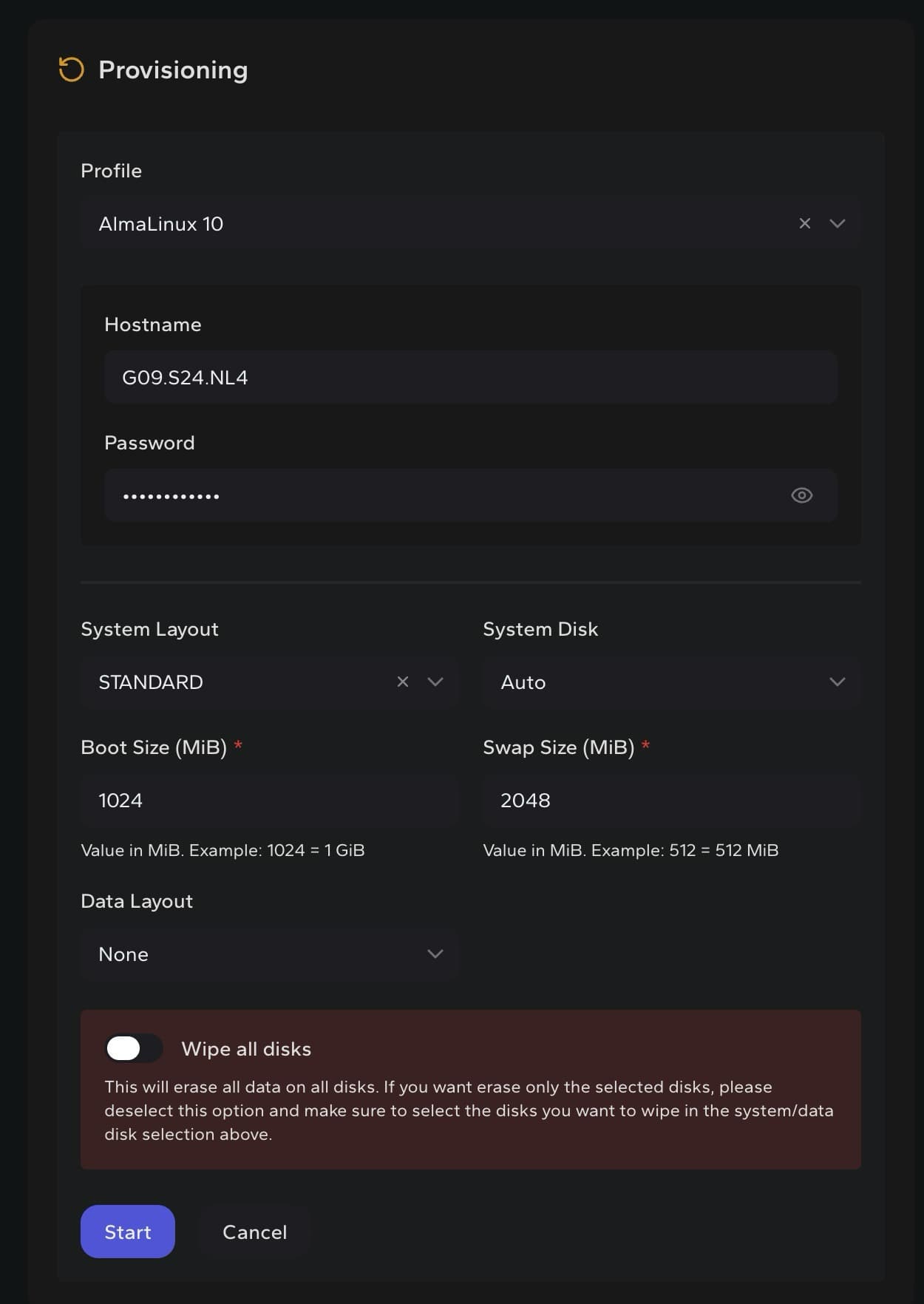
The provisioning workflow keeps the operating system, hostname and disk choices in one place. Use it when setting up the server for the first time or when you want to start again.
Choose an installation image
Select an available operating system image or official ISO, or request a custom ISO when your setup requires one.
Set the hostname and disks
Define the hostname, system disk, boot size, swap size and data layout before provisioning.
Start with clean disks
The disk wipe option lets you erase the selected storage as part of a fresh installation.
Operating system images
Install the system your project needs.
The available installation options include modern distributions, familiar server platforms and legacy releases that some projects still require.

AlmaLinux
8 · 9 · 10

CentOS
8 · 9 · 10

CloudLinux
8 · 9 · 10

Debian
11 · 12 · 13

Fedora
42 · 43 · 44

openSUSE
16

Oracle Linux
9

Proxmox VE
9

Rocky Linux
8 · 9 · 10

Ubuntu
20.04 · 22.04 · 24.04 · 26.04

VMware
ESXi 8

Windows
Server 2022 Evaluation · Server 2025 Evaluation · Windows 10 Evaluation
Legacy images remain available for compatibility and customer requirements. Some versions may no longer receive updates or security patches from their vendor. Check the vendor lifecycle before deployment. Official and custom ISO options are also available. Commercial software licences are not included unless the configurator explicitly says so.
Clear before checkout
Know what is standard and what changes with the plan.
The client-area tools are shared across the dedicated server range. Hardware, network capacity and optional services still depend on the configuration you choose.
Included with the server
- One IPv4 address
- One IPv6 subnet
- Root or administrator access
- Hardware and device information
- Power and reboot controls
- Bandwidth monitoring
- Provisioning, rescue and disk tools
- Official or custom ISO options
- 24/7 technical support
Configured or requested separately
- Processor, memory and storage
- Port speed and traffic allowance
- Additional IP addresses, when available
- Control panel or commercial software
- Custom hardware changes
- Managed administration, subject to scope and availability
Ready to choose?
Start with the hardware, then configure the rest.
View the available dedicated servers or tell us what your project needs before you order.